Showing posts with label WordPress. Show all posts

8 Aug 2016


Send Emails Directly From WordPress Dashboard


Email Subscription list is a way to communicate with your visitors directly. Or you can say it the medium through which you can generate traffic and the maximum profit from your blog or website. And trust me it is the best Marketing Strategy as you can tell your subscribers about latest posts, send them deals with your affiliate links, make long time relationships.

Whenever you visit website or blog you see popups asking you to subscribe to their newsletter.Why they do so?

Why they do so?

The reason is simple they know that once you give your email address to them they can convince you to come back to their website or to click on their offers link anytime. And from that, they can generate money.

You can also apply this strategy to your blog or website.

But the question is how to do that?

Well! this is very simple. You need to add some popups on your blog.

To add popups your WordPress website you need to download and activate popup plugins in your WordPress dashboard.

There are many popups plugins out there of which some are free and some are paid. And choosing from thousands of plugins of the similar kind is quite confusing. As during selection you need to keep in mind the following things:

  • How much the plugin is customizable

  • What are its features

  • Its impact on the loading time of the website

  • Its add-ons

  • Privacy and outgoing links

  • And most important its price

So after a long research, I found a plugin GetSiteControl that is free, highly customizable, no impact on loading time and has lots of other features.

How to add this free plugin?

To add this free plugin you need to signup here. And then download their WordPress plugin which will take care of all your backend tasks automatically. You just need to add the free widgets from their website and customize it according to your needs.

Not only the popup plugin you can also install their other free widgets like surveys, email opt-in forms, contact forms, follow, share buttons and live chats.

The best thing about this plugin is that it is completely free.

Now that you know how to make and increase your subscribers list it's time to know how to know how to send emails from WordPress dashboard.

Sending Emails to your Registered Users From WordPress Dashboard


If you are not using any email marketing websites to send emails to your registered users but still want to send the email to them then you are reading the right article.

The very first thing you will need to do is go to add new plugins in your WordPress dashboard.

Then search for the plugin Email Users and then install and activate it.

After activating you will find a new menu in your dashboard's left side.

Now click on Email users. Now you have two options to choose from the first one is send individual message and the second one is send Group Message. Choose from these two according to your need and start sending emails and Enjoy.

So with these two free plugins, you can grow your email subscription list,share and send email to your subscribers or registered members for free directly from your WordPress dashboard.

This article might be helpful to your blogging friends also. So if you like it then please share it.

13 Jul 2016

WordPress

WordPress empowers more than 18% websites on the internet. And if you are here and reading this post this means that your website or blog is too developed on WordPress.

If you are using WordPress then you must have noticed that your site speed has slowed down after certain usage or after certain tweaks. So today in this post I am going to tell you how to speed up your WordPress site. 

Why Site Speed Is Important?


Suppose you are searching something on google and you find a link and you open it.

If the website you open from the link takes a long time to load would you like to visit that website again?

Of course not. Similarly, this thing will happen with your website too. Because everybody likes a faster loading website.

According to a report by the Microsoft Bing search team, a 2-second longer delay in page responsiveness reduced user satisfaction by 3.8%, increased lost revenue per user by 4.3%, and a reduced clicks by 4.3%.

Not only that, but Google now includes site speed in it’s ranking algorithm. That means that your site’s speed affects SEO, so if your site is slow, you’re now losing visitors from impatience and reduced rankings in search engines.

[bctt tweet="It is the Era of 4G so make your website loads at 4G speed. " username=""]

But before I begin the process of speeding up your WordPress site let me tell me you first how can you measure the speed of your website.

Below I am mentioning three tools which are useful in measuring the speed of your website and analyzing some important points about your website.

You can also install GT Metrix WordPress plugin to test your website speed on the regular basis directly in your WordPress Admin.


To Speed Up your WordPress website you can follow the points mentioned below:

[su_note note_color="#4494CD" text_color="#ffffff"]Choose a Good Hosting Provider[/su_note]

Hosting providers play an important role in loading time of your website. Especially when you are on shared hosting.

It's not bad to start with a shared hosting package. But once you have a fully furnished website and you start receiving some traffic you should move to VPS hosting for the faster website.

The reason behind moving to VPS hosting is when you opt shared hosting you see that there is unlimited disk space and unlimited bandwidth but all the resources are shared among all users making your website loading time slower.

But when you use VPS you have full control over your resources and your website will load ultra fast.

[su_note note_color="#4494CD" text_color="#ffffff"]Choose a Solid Theme Framework[/su_note]

A theme framework speed depends on its coding. The cleaner the code the faster website will load.

So I will recommend the world's no. 1 theme framework Genesis by StudioPress. Genesis is not only ultra fast loading theme framework but also SEO optimized and highly customizable. The websites made with Genesis are shown higher in search results.

Also read : Top 5 WordPress themes to boost your search engine rankings.

[su_note note_color="#4494CD" text_color="#ffffff"]Use an Effective Cache Plugin[/su_note]

Yes in order to serve your website elements faster to your visitors you must install a cache plugin.

 The cache plugin I am using and I personally recommend is WP Super cache by Automatic.

It is easy to use make caching and loading faster. Just install and use it.

[su_note note_color="#4494CD" text_color="#ffffff"]Use a Content Delivery Network (CDN)[/su_note]

All big blogs and websites use the content delivery network (CDN) so that people around any corner of the world can have the fast access to the website.

a CDN, or content delivery network, takes all your static files you’ve got on your site (CSS, Javascript and images etc) and lets visitors download them as fast as possible by serving the files on servers as close to them as possible.

I personally use the Max CDN Content Delivery Network on my WordPress sites, as I’ve found that they have the most reasonable prices and their dashboard is very simple to use (and comes with video tutorials to setting it up, takes only a few minutes).

I also use Cloud Fare CDN as it is free and use of multiple CDN makes website loading much faster.

[su_note note_color="#4494CD" text_color="#ffffff"]Optimize Images to Load Faster[/su_note]

Your large size of the image can take lots of time to download on users computer or mobile. So in order to improve the loading time faster, you need to optimize your images by reducing the size.

So to compress your images the best plugin available is ShortPixel. It is the best plugin as it can compress the images in both lossy and lossless way. And the best thing is that it does not slow down the website as other similar plugins do so.

To use this plugin, you have to download and register here to get you api key.

[su_note note_color="#4494CD" text_color="#ffffff"]Optimize WordPress Database[/su_note]

LOts of Database can result in slow loading of website.

So to delete the unused database and optimize other databases you can either use WP-Optimize or WP-DBManager.

These plugins can be used to optimize,delete,repair,restore or backup or your database.

[su_note note_color="#4494CD" text_color="#ffffff"]Disable Hotlinking[/su_note]
Hotlinking refers to display an image on a website by linking to the same image on another website instead of downloading that image and uploading it to own server.

How can Hotlinking affect you?


If someone links your image on his website it can affect you in these ways:

  • Your bandwidth will be used by others resulting in slow loading of your website.

  • IF you are on a limited bandwidth plan it can cost you more money.

  • If your hosting provider is not having good resources it can lead your site to down.

How can you disable Hotlinking?


You can disable hotlinking by any of the following ways:

  1. Go to your Cpanel.

  2. hotlinkingClick on Hotlink Protection and click enable.

or you can copy and paste the following code in your .htaccess file present in your root directory.

[su_highlight background="#000000" color="#ffffff"]disable hotlinking of images with forbidden or custom image option RewriteEngine on RewriteCond %{HTTP_REFERER} !^$ RewriteCond %{HTTP_REFERER} !^http(s)?://(www\.)?feedbackonline.co [NC] RewriteCond %{HTTP_REFERER} !^http(s)?://(www\.)?google.com [NC] RewriteCond %{HTTP_REFERER} !^http(s)?://(www\.)? feeds2.feedburner.com/feedbackonline [NC] RewriteRule \.(jpg|jpeg|png|gif)$ – [NC,F,L] [/su_highlight]

You’ll notice I included my feed (from FeedBurner), you’ll need to replace it with your feed’s name, otherwise your images won’t appear correctly there.

[su_note note_color="#4494CD" text_color="#ffffff"]Turn off Pingbacks and Trackbacks[/su_note]

By default, WordPress interacts with other blogs that are equipped with pingbacks and trackbacks.

Every time another blog mentions you, it notifies your site, which in turn updates data on the post. Turning this off will not destroy the backlinks to your site, just the setting that generates a lot of work for your site.

[su_note note_color="#4494CD" text_color="#ffffff"]Go For Accelerated Mobile Page (AMP)[/su_note]

If you have to increase the number of visitors on your blog then you must have to take care of the people on the phone or with slow internet connection.

As I have mentioned earlier that people and Google loves fast page loading so going for AMP will be a very good step for SEO,fast site,and more organic traffic.

To enable AMP for your WordPress site download this AMP Plugin from here .

Go for AMP boost your SEO,Increase your site speed and increase your visitors.

Related Searches:

Speeding up WordPress Website

Fast up WordPress

Webiste speed test

page speed test

site speed test

pagespeed

web speed test

website performance

website performance test

28 Jun 2016


As I have mentioned in my previous article that Plugins are the most important part of any WordPress website or blog. We use plugins to enhance our site.

Some Most common use of plugins:


  • For SEO of the website

  • For integrating ads.

  • For improving page navigation.

  • For adding News Letter Subscription.

  • For making our web pages.

  • Increase social media share.

  • For selling products.

  • For adding contact form.

  • For adding Google Analytics on each and every page of the site.

  • To prevent WordPress site from hack and malware

  • To Fast up the site.

  • To embed a nice Gallery.

  • For importing and exporting features.

  • Generating XML Sitemaps.

  • Duplicating or Cloning posts and pages or sometimes even entire site.

  • Adding sliders and captcha.

Now that you have understand the use of plugins in any WordPress website,it's time to know the best WordPress Plugins to enhance your website or blog. Some best and must have plugins are listed below which you can use to glow in this digital era.

1.JetPack:


Jetpack

The number one and must have plugin Jetpack simplifies your task of managing WordPress sites by giving you visitor stats, security services, speeding up images, and helping you get more traffic.And the best thing is that in spite giving so much of features it is free.
You can use Jetpack to:


  • Speed up your WordPress site.

  • Automatically promote contents on various social networking sites.

  • Display related posts below the end of your post to engage visitor on your blog.

  • Protect your site from brute force attacks and unauthorized logins.

  • Adding custom css of your own.

  • Showing Notifications and for News Letter subscription.

  • To monitor site downtime.

2.Yoast SEO Plugin:


Yoast seo

If you're needing to improve your site’s SEO, then look no additional as Yoast SEO will this all for you! to start with, Yoast SEO helps you to write down higher content for your site- it'll force you to decide on focus keyword once writing your articles so makes positive that this keyword is employed all over. Not solely that, however the page analysis perform can analysis your page’s content and check to check for instance whether or not you have got enclosed pictures in your posts, and if therefore whether or not these pictures have angular position tags containing the main focus keyword of your post. it'll conjointly check to check if you have got written a meta description for your posts containing your focus keyword (so what we have a tendency to mean by used everywhere) and whether or not your posts ar too short or not.

If all that wasn’t enough, this plugin is additionally advanced within the method it mechanically creates XML sitemaps and notifies search engines like Google and Bing of the sitemaps existence. These sitemaps can embrace all of your pictures on your pages and in your posts, that means your pictures may be found higher in search engines too.

We love Yoast SEO as a result of it uses real time analysis, it’s simple to access and it even have a friendly computer program. there's conjointly lots of tutorials on-line that are useful to anyone that's new victimisation Yoast SEO and desires facilitate about to grips with the infix.

3.Contact Form 7:


You can already guess what this plugin will simply by its name, however Contact type seven permits you to manage multiple contact forms on your WordPress web site. It’s straightforward and versatile, and you'll customise the shape and mail contents to your style and preference simply by victimisation basic markup. It supports the likes of CAPTCHA, Akismet spam filtering and Ajax-powered submitting and conjointly features a variety of add-ons that aim to create Contact type seven perform even higher.

It’s current active installs has reached over one million, and every one along this plug-in has had over thirty five million downloads. These stats simply attend show that its not simply favored by US, however by several others. And what’s even better… it’s utterly free. therefore not solely is it simple to tack together, simple to use, simple, super customisable and offers nice support, it conjointly won’t price you a penny to use. Get installing!

4.Akismet:


akismet

WordPress Comment Spam are some things that you simply can face from day one. initial time once you begin a WordPress journal, and you get some punk line in comments, you must not get hyper excited. it'd be a spam comment spoken communication one thing within the following context

“I love you journal and you bought glorious expressive style.” “Your expressive style is superb and that i have signed to your journal.” Check the computer address, and you'd understand that it’s resulting in some spam website} or affiliate site. Akismet is an officer WordPress plugin from Automattic to forestall spam comments in WordPress.. i believe that it's the primary plugin that you simply ought to install on any new journal. Your new journal can have WordPress commenting feature, and your journal are going to be crammed up by spammers if you don’t use this plugin. The spammers simply need to throw their links on your articles with none plan of the discussion. So, this plugin can basically mechanically move those comments that it'll contemplate spam into the garbage can and can conjointly for good delete them time when time. it's a requirement have.

5.PUSHPress:


The plugin that have the PubSubHubBub practicality in WordPress, or i have to say that the plugin permits google to understand that you simply have written a post by causation it the FAT PINGS. This plugin therefore permits you to inform Google that you simply} are the initial author of a commentary that you simply just wrote. briefly : It keeps the scrappers and spammers away! additional over, if you're complaining about slow indexing of your blog, this plugin can build vast completely different. a part of should have WordPress plugins. This plugin doesn’t need any configuration, All you would like to try to is install and activate this plugin.

6.CloudFlare:


CloudFlare CDN (Content Delivery Network) caches the website's data and distributes them along their servers which is present across the globe. It automatically optimize the delivery of your web pages so your visitors get the fastest page load times and best performance. It also block threats and limit abusive bots and crawlers from wasting your bandwidth and server resources. The result: CloudFlare-powered websites see a significant improvement in performance and a decrease in spam and other attacks.

The best thing about CloudFlare CDN is that it is Free and also provides you Free SSL Certificate which helps you in boosting your SEO and building trust among your visitors.

You can download the WordPress plugin directly from your dashboard and get you free API key from CloudFlare.com.

7.GetSiteControl:


GetSiteControl is much more than just a traffic building plugin. This free plugin adds perfect surveys, email opt-in forms, contact forms, popups, follow, share buttons and live chats widgets for your website or blog all in one place without affecting load time.

To use these features you need to signup for free on their website and then add your WordPress plugin.

Having so much of features for free this plugin is going to save your more than $100.

8.Email Users:


A plugin for WordPress which allows you to send an email to the registered blog users. Users can send personal emails to each other. Power users can email groups of users and even notify the group of users of posts.

In simple words it allows you to send emails to all your registered members of your WordPress site for free individually or to the whole group.

9.ShortPixel Image Optimizer:


ShortPixel makes your website load faster by resizing/rescaling and then compressing the images. Optimized images mean better user experience, better PageSpeed Insights results, better Google PageRank (SEO) and more visitors. Both lossy and lossless image compression available for all common image types (JPG, PNG and GIF), plus PDF files.

How does it work?

  • choose your favorite settings like lossy/lossless, keep/remove EXIF, backup, optimize thumbs, etc.

  • all your current pics can be easily scaled and optimized with a single click via our bulk optimization page.

  • new images are automatically resized and compressed in the cloud right after they are uploaded.

  • smaller images will start being served from your website once they were optimized

You need to signup for this free plugin to get your free API Key from here.


26 Jun 2016

How to make the most of your wordpress blog

Every Blogger nowadays start his/her blog journey using WordPress. But not everybody knows what exactly WordPress is. So in this article we are going to discuss on WordPress and how we can make the most out of it by understanding it clearly.

what is WordPress?


According to Wikipedia WordPress is a free and open-source content management system (CMS) based on PHP and MySQL. WordPress is installed on a web server, which either is part of an Internet hosting service or is a network host itself; the first case may be on a service like WordPress.com, for example, and the second case is a computer running the software package WordPress.org. An example of the second case is a local computer configured to act as its own web server hosting WordPress for single-user testing or learning purposes. Features include a plugin architecture and a template system. WordPress was used by more than 26.4% of the top 10 million websites as of April 2016.WordPress is the most popular blogging system in use on the Web,[8] at more than 60 million websites.

It was released on May 27, 2003, by its founders, Matt Mullenweg and Mike Little, as a fork of b2/cafelog. The license under which WordPress software is released is the GPLv2 (or later) from the Free Software Foundation.

How WordPress Works?


WordPress has been designed and programmed in such a way that it simplifies all the works of the users using the below mentioned things:

Themes


WordPress users may install and switch between themes. Themes allow users to change the look and functionality of a WordPress website and they can be installed without altering the content or health of the site. Every WordPress website requires at least one theme to be present and every theme should be designed using WordPress standards with structured PHP, valid HTML and Cascading Style Sheets (CSS). Themes may be directly installed using the WordPress "Appearance" administration tool in the dashboard or theme folders may be uploaded via FTP. The PHP, HTML (HyperText Markup Language) and CSS code found in themes can be added to or edited for providing advanced features. WordPress themes are in general classified into two categories, free themes and premium themes. All the free themes are listed in the WordPress theme directory and premium themes should be purchased from marketplaces and individual WordPress developers. WordPress users may also create and develop their own custom themes if they have the knowledge and skill to do so. If WordPress users do not have themes development knowledge then they may download and use free WordPress themes from wordpress.org.

Also read : Top 5 WordPress Themes To Boost Your Search Engine Rankings.

Plugins


WordPress's plugin architecture allows users to extend the features and functionality of a website or blog. WordPress has over 40,501 plugins available, each of which offers custom functions and features enabling users to tailor their sites to their specific needs. These customizations range from search engine optimization to client portals used to display private information to logged in users, to content management systems, to content displaying features, such as the addition of widgets and navigation bars. But not all available plugins are always abreast with the upgrades and as a result, they may not function properly or may not function at all.

Mobiles
Native applications exist for WebOS, Android, iOS (iPhone, iPod Touch, iPad), Windows Phone, and BlackBerry. These applications, designed by Automattic, allow a limited set of options, which include adding new blog posts and pages, commenting, moderating comments, replying to comments in addition to the ability to view the stats.

Other features


WordPress also features integrated link management; a search engine–friendly, clean permalink structure; the ability to assign multiple categories to articles; and support for tagging of posts and articles. Automatic filters are also included, providing standardized formatting and styling of text in articles (for example, converting regular quotes to smart quotes). WordPress also supports the Trackback and Pingback standards for displaying links to other sites that have themselves linked to a post or an article. WordPress blog posts can be edited in HTML, using the visual editor, or using one of a number of plugins that allow for a variety of customized editing features.

Multi-user and multi-blogging


Prior to version 3, WordPress supported one blog per installation, although multiple concurrent copies may be run from different directories if configured to use separate database tables. WordPress Multisites (previously referred to as WordPress Multi-User, WordPress MU, or WPMU) was a fork of WordPress created to allow multiple blogs to exist within one installation but is able to be administered by a centralized maintainer. WordPress MU makes it possible for those with websites to host their own blogging communities, as well as control and moderate all the blogs from a single dashboard. WordPress MS adds eight new data tables for each blog.

As of the release of WordPress 3, WordPress MU has merged with WordPress.

Migration/wp-config.php


WordPress makes migration from one server to another relatively simple due to its use of a configuration file (wp-config.php, usually located in the root directory). This file controls the base settings for a WordPress website including (but not limited to) the database connection settings. Due to the use of a configuration file, migrating from one server to another can be accomplished by the following basic steps:

Download a copy of the WordPress files/folders (e.g. via FTP).
Download a copy of the associated database (view the 'DB_NAME' row in the wp-config.php for the associated database to back up).
Upload the files/folders to the new server.
Create a new database on the new server and import the sql backup.
Update the wp-config.php database fields to reflect.

Other Recommended Articles:


How to become a professional Blogger?

How to Quick Index your website and get tons of free traffic?

How can I write a good blog post? 


12 Jun 2016


Whenever you think of starting a new blog the first thing that comes to mind is the design or the theme of your blog.But choosing a right theme for your blog is not that easy because there are lots of themes available in the market each with lots of reviews and ratings.Whenever you visit any blog for comparing themes they show you the list of 20-30 themes or even 60-70 themes which make it even more confusing in choosing the right theme.Therefore,here at Feedbackonline.co we bring you top 5 wordpress themes that will not only impress you in terms of design but also in speed and seo.So go ahead read the full article and choose the right one for you.

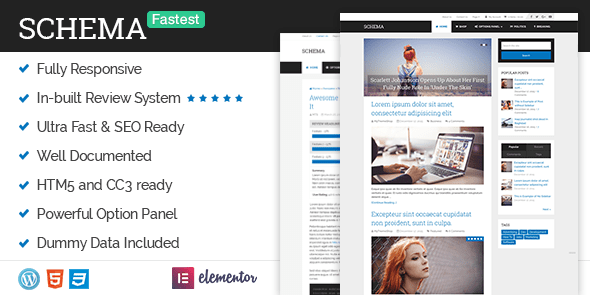
1.Schema:


Schema is the fastest loading, ultra-SEO friendly WordPress theme. Featuring custom options panel, all shortcodes and widgets, and a pixel perfect design, Schema also includes rich snippets in order to help search engines your site and rank you higher.Anyone looking for the farstest theme can go with this theme.
You can download the theme from here.


2.Socially Viral:


SociallyViral is a beautifully designed WordPress theme that is built to be engaging, fast, and most importantly, boost viral traffic. With features to help increase social sharing, you'll get more traffic from the web's top social media websites and also boost your search engine rankings.IF you are looking for most social shares then you can use this theme.
You can download this theme from here.


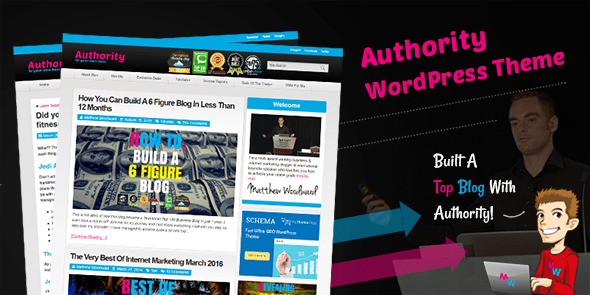
3.Authority:


Authority is a highly optimized WordPress theme to help your blog build trust and authority in any niche. Modelled after Matthew Woodward’s six figure blog and with his full endorsement, this is a theme you can trust to help build your brand. Packed with features and customization that you will surely love.
You can download this theme from here.

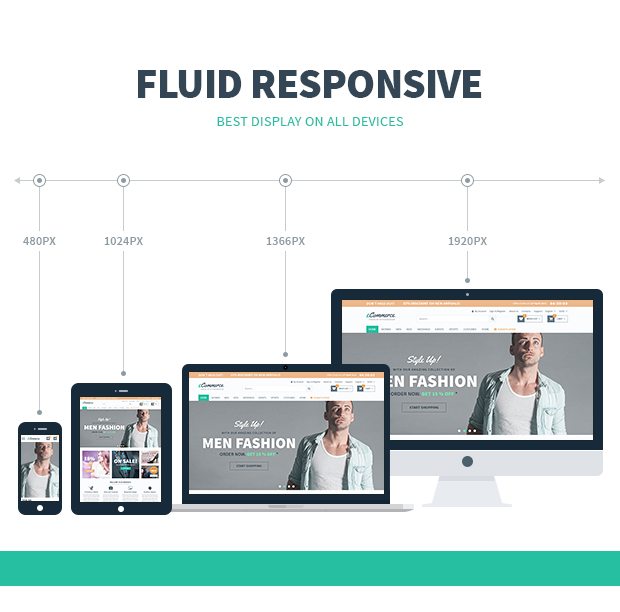
4.ecommerce:


eCommerce is a beautiful, modern and professional-grade WordPress theme that's ideal for eCommerce sites. The amazing layouts will help you to start making more sales immediately while the advanced features like wishlist and quickview options will give you even more ways to package your products and satisfy your customers.So if you are looking to start your own wordpress online store this is the best them available in the market for your purpose.

You can download this theme from here.

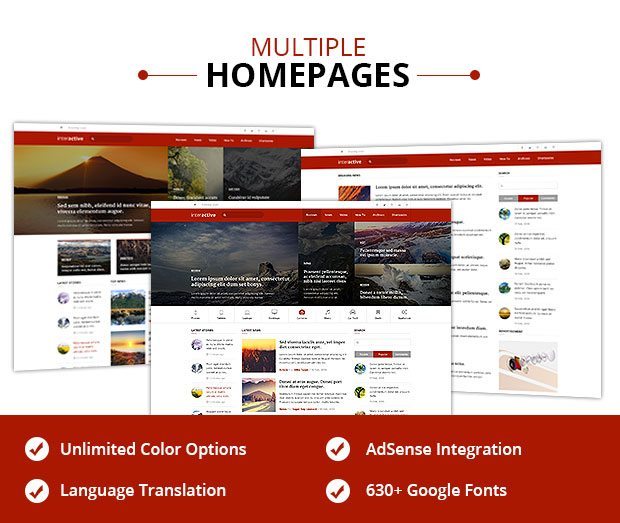
5.Interactive


Interactive is an eye-catching and highly professional blog theme that is perfect for webmasters with lots of content and who want to engage with their audience. Countless options make the theme perfectly customizable, while the powerful features give you more ways to interact with your visitors and to keep them coming back.

You can download this wordpress theme from here.

I hope this list will clear your doubts in choosing a theme for your wordpress site or blog.Please do mention in the comments which theme you are using.

Note:If you want to do the best with your wordpress site then it is highly recommended to use the above mentioned themes to stay on the top of search engine listings and engaging your visitors.

Bonus Tip While Writing Of:


Find a sponsor for your web site. Get paid for your great content.